The Complete Guide to Lead Management, Lead Segmentation, and Sales Pipeline Organization with LeadConnect
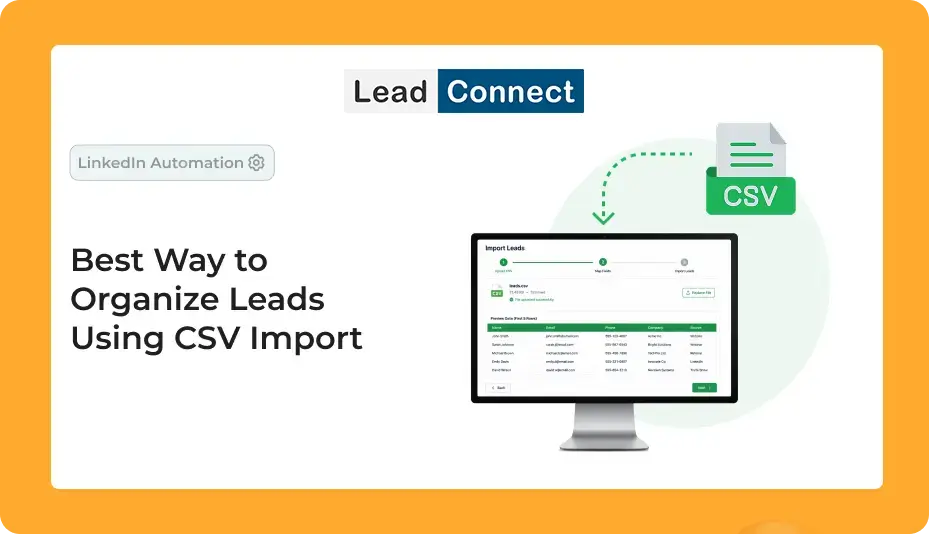
The best way to organize leads using CSV import is to centralize your prospect data, remove duplicates, segment contacts into meaningful groups, and manage them through a structured sales pipeline. By importing CSV files into LeadConnect, businesses can organize lead databases, automate prospect management, improve lead tracking, streamline sales workflows, and create a more efficient customer relationship management process.
Introduction
Lead generation is the foundation of every successful sales strategy. Whether your business collects prospects from LinkedIn, Sales Navigator, website forms, webinars, events, referrals, or outbound campaigns, the ability to manage those leads effectively determines how many opportunities ultimately become customers.
As lead volumes increase, many organizations struggle with scattered spreadsheets, duplicate contacts, missing information, and inconsistent follow-ups. Sales teams often spend valuable time searching for prospect details, updating records manually, and trying to determine which leads require immediate attention. These inefficiencies can slow down growth and result in missed revenue opportunities.
This is why lead organization has become a critical component of modern sales operations. Businesses need a reliable way to centralize prospect data, track interactions, segment leads, and manage the entire customer journey from first contact to conversion.
CSV imports offer one of the simplest and most effective ways to accomplish this. Instead of manually entering contacts one at a time, teams can import large lead lists directly into a lead management platform such as LeadConnect. This creates a centralized lead database that supports better prospect management, sales automation, lead nurturing, and pipeline management.
In this guide, we’ll explore the best way to organize leads using CSV imports, discuss common challenges, review lead segmentation strategies, and explain how LeadConnect helps businesses create a scalable and efficient lead management workflow.
What Is Lead Management?
Lead management is the process of capturing, organizing, tracking, qualifying, and nurturing prospects throughout the sales process. It ensures that every lead is properly managed from the moment it enters your database until it either becomes a customer or is removed from the sales funnel.
A strong lead management system helps businesses:
- Organize customer data efficiently
- Track prospect interactions
- Manage sales pipelines
- Improve lead qualification
- Streamline sales workflows
- Increase conversion rates
- Enhance customer relationship management
Without proper lead management, businesses often lose visibility into their sales pipeline, resulting in missed follow-ups and lower conversion rates.
Why Lead Organization Matters More Than Ever
Today’s sales teams generate leads from multiple channels. While this creates more opportunities, it also introduces new challenges. Prospect information becomes fragmented across spreadsheets, CRM systems, email tools, and prospecting platforms.
When lead data is not properly organized, teams may experience:
- Duplicate contact records
- Missed follow-up opportunities
- Inaccurate customer data
- Poor team collaboration
- Difficulty tracking prospect engagement
- Lower sales productivity
An organized lead database serves as a single source of truth for all prospect information. It allows teams to quickly access lead details, understand where prospects are in the sales funnel, and take the appropriate next steps.
Businesses that prioritize lead organization often experience higher productivity, stronger customer relationships, and improved sales performance.
What Is CSV Import?
CSV (Comma-Separated Values) is a widely used file format for storing and transferring structured data. Most CRM systems, lead management software, and sales automation tools support CSV imports because they provide a simple way to move contact information between platforms.
A CSV file can include valuable prospect data such as:
- First Name
- Last Name
- Company Name
- Job Title
- Email Address
- Phone Number
- LinkedIn URL
- Industry
- Company Size
- Geographic Location
- Lead Source
- Notes and Tags
Instead of manually creating contact records, businesses can import hundreds or thousands of leads at once, significantly improving efficiency.
How CSV Imports Improve Sales Productivity
Manual data entry is one of the most time-consuming administrative tasks for sales teams. Entering contacts individually not only takes time but also increases the risk of human error.
CSV imports eliminate these challenges by allowing teams to upload entire lead lists within minutes. This enables sales representatives to spend less time managing spreadsheets and more time engaging with prospects.
Benefits of CSV imports include:
- Faster lead onboarding
- Reduced administrative workload
- Improved data accuracy
- Better contact management
- Enhanced sales workflow efficiency
By centralizing customer data through CSV imports, businesses can create a more productive and scalable sales process.
CSV Import vs Manual Lead Entry
One of the most common questions businesses ask is whether CSV imports are truly more effective than manual lead entry.
| Feature | Manual Lead Entry | CSV Import |
|---|---|---|
| Speed | Slow | Fast |
| Accuracy | Prone to errors | Highly accurate |
| Scalability | Limited | Excellent |
| Team Efficiency | Low | High |
| Data Consistency | Inconsistent | Standardized |
| Prospect Management | Difficult | Streamlined |
| Sales Productivity | Lower | Higher |
For organizations managing hundreds or thousands of prospects, CSV imports provide a significantly more efficient solution.
Common Sources of CSV Lead Data
Businesses collect leads from a wide range of channels. CSV imports make it possible to consolidate these sources into a single lead database.
Common lead sources include:
- LinkedIn prospecting campaigns
- LinkedIn Sales Navigator exports
- Website contact forms
- Webinar registrations
- Event attendee lists
- Referral programs
- CRM exports
- Email marketing campaigns
- Recruitment databases
- Partner networks
Centralizing these leads improves visibility and ensures consistent prospect management across the organization.
Preparing Lead Data Before Importing
The quality of your lead database depends heavily on the quality of your data.
Before importing a CSV file, businesses should review and clean their information to ensure accuracy and consistency. A well-prepared CSV file makes lead tracking, segmentation, and pipeline management much easier.
Important preparation steps include:
- Removing duplicate records
- Verifying email addresses
- Standardizing company names
- Updating outdated information
- Completing missing fields
- Checking LinkedIn profile URLs
Clean data creates a stronger foundation for future outreach and lead nurturing activities.
How LeadConnect Simplifies Lead Organization
LeadConnect is designed to transform scattered lead data into a structured and actionable prospect management system.
After importing a CSV file, all leads are stored in a centralized lead database where they can be organized, searched, filtered, and managed efficiently. Instead of switching between multiple spreadsheets, sales teams gain complete visibility into their prospects from one dashboard.
LeadConnect helps businesses:
- Import contacts in bulk
- Manage prospect databases
- Track lead activity
- Monitor outreach campaigns
- Organize customer data
- Improve team collaboration
- Streamline sales processes
- Support workflow automation
This centralized approach helps teams stay organized while improving overall sales performance.
Lead Segmentation Strategies for Better Results
Not all leads are the same. Effective lead segmentation allows businesses to create more relevant outreach campaigns and improve engagement rates.
Industry Segmentation
Prospects can be grouped by industry, such as:
- SaaS
- Healthcare
- Finance
- Real Estate
- Manufacturing
- Marketing Agencies
Geographic Segmentation
Businesses can organize leads by:
- Country
- Region
- State
- City
- Target Market
Company Size Segmentation
Grouping prospects based on company size helps create more personalized messaging.
Examples include:
- Startups
- Small Businesses
- Mid-Market Companies
- Enterprise Organizations
Job Title Segmentation
Decision-makers often require different messaging than managers or individual contributors.
Examples include:
- Founders
- CEOs
- Sales Directors
- Marketing Managers
- Recruiters
Behavioral Segmentation
Prospects can also be categorized based on engagement activities such as:
- Opened emails
- Replied to outreach
- Booked meetings
- Downloaded content
Segmentation improves lead nurturing and increases the effectiveness of sales campaigns.
Building an Effective Lead Management Workflow
Successful lead management requires a structured workflow that guides prospects through the sales funnel.
A typical workflow inside LeadConnect includes:
Step 1: Collect Leads
Gather prospect data from LinkedIn, websites, events, referrals, and other sources.
Step 2: Clean and Validate Data
Remove duplicates and verify contact information.
Step 3: Import CSV File
Upload lead data into LeadConnect.
Step 4: Segment Leads
Organize prospects into meaningful groups.
Step 5: Assign Lead Owners
Allocate leads to the appropriate team members.
Step 6: Launch Outreach Campaigns
Begin prospect engagement through personalized messaging.
Step 7: Track Responses
Monitor prospect interactions and engagement.
Step 8: Qualify Leads
Identify prospects that match your ideal customer profile.
Step 9: Move Leads Through the Pipeline
Advance qualified prospects through the sales process.
Step 10: Analyze Results
Review campaign performance and optimize future outreach efforts.
Common CSV Import Challenges and How LeadConnect Solves Them
Although CSV imports are highly effective, businesses often face challenges during implementation.
One common issue is duplicate records. When multiple team members maintain separate prospect lists, duplicate contacts can easily enter the database. LeadConnect helps reduce these issues through structured data management.
Another challenge is incomplete information. Missing email addresses, company names, or LinkedIn URLs can make outreach more difficult. LeadConnect helps teams maintain organized customer data and identify gaps that require attention.
Data formatting inconsistencies can also create problems during import. Standardized lead management workflows help ensure cleaner and more accurate databases.
By centralizing contact management, LeadConnect helps businesses maintain data quality and improve overall efficiency.
Use Cases for CSV Lead Imports
Sales Teams
Sales teams use CSV imports to build prospect databases, manage sales pipelines, and improve lead tracking.
Recruiters
Recruiters can organize candidate databases and streamline hiring workflows.
Agencies
Marketing and lead generation agencies can manage prospect lists for multiple clients from a centralized platform.
Startup Founders
Founders often use CSV imports to manage investor outreach, partnerships, and early customer acquisition efforts.
Business Development Teams
Business development professionals rely on CSV imports to scale prospecting and identify new opportunities.
Best Practices for Long-Term Lead Organization
Maintaining an organized lead database requires ongoing effort.
Best practices include:
- Conduct regular database audits
- Update prospect information frequently
- Remove inactive contacts
- Standardize lead tags
- Monitor lead engagement
- Review sales pipeline stages
- Maintain accurate customer data
These practices help preserve data quality and improve long-term sales performance.
Frequently Asked Questions
What is CSV import in lead management?
CSV import allows businesses to upload multiple contacts into a lead management system simultaneously.
Why is lead organization important?
Lead organization improves productivity, follow-up consistency, and sales performance.
Can LeadConnect import leads from LinkedIn Sales Navigator?
Yes, LeadConnect helps organize and manage leads exported from LinkedIn Sales Navigator.
What information should a CSV file contain?
A CSV file should include contact names, company information, job titles, email addresses, LinkedIn URLs, and lead sources whenever possible.
How does CSV import improve sales productivity?
It eliminates manual data entry, reduces errors, and accelerates lead onboarding.
What is lead segmentation?
Lead segmentation is the process of grouping prospects based on shared characteristics such as industry, role, company size, or behavior.
How often should lead databases be updated?
Most businesses should review and update their databases monthly.
Can imported leads be assigned to team members?
Yes, organized lead management systems allow lead assignment and collaboration.
What is the difference between lead management and CRM?
Lead management focuses on prospect organization and tracking, while CRM covers broader customer relationship management activities.
Is CSV import suitable for large prospect databases?
Absolutely. CSV imports are specifically designed to handle large volumes of lead data efficiently.
Conclusion
Lead generation is only valuable when leads are properly organized and managed. As prospect databases continue to grow, relying on spreadsheets becomes increasingly inefficient and difficult to scale.
CSV imports provide a fast and reliable method for centralizing customer data, while LeadConnect transforms that information into a structured lead management system. Through lead tracking, segmentation, workflow automation, contact management, and pipeline organization, businesses can create a more efficient sales process and improve conversion rates.
For sales teams, recruiters, agencies, founders, and business development professionals, LeadConnect offers a smarter way to organize leads, manage prospect relationships, and build a scalable sales pipeline that drives long-term growth.