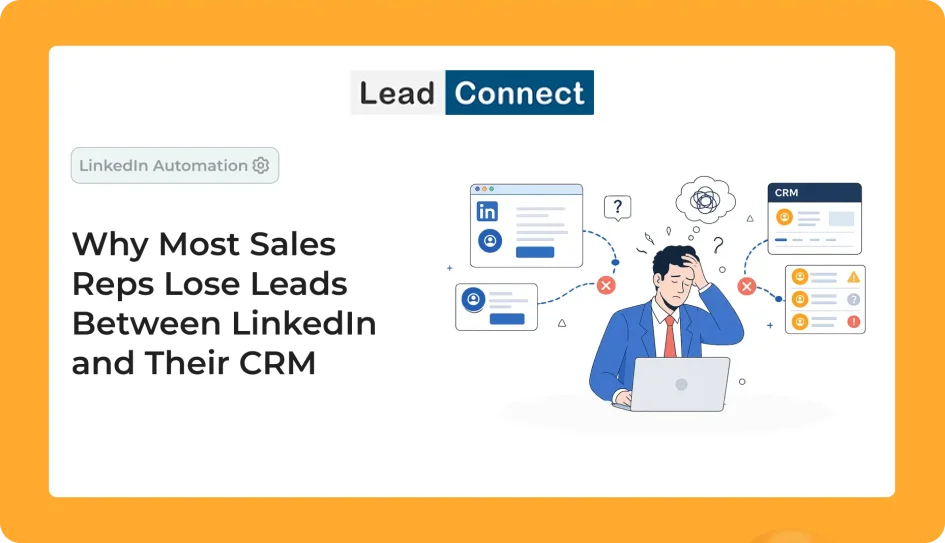
Many B2B companies invest heavily in LinkedIn prospecting but still struggle to convert conversations into revenue. The reason is often not poor lead quality or weak outreach. Instead, leads are lost between LinkedIn and the CRM because prospect information, follow-up tasks, and conversation history are managed manually. Without a structured lead management process, qualified prospects can easily slip through the cracks.
A LinkedIn CRM integration helps solve this problem by automatically capturing prospect information, logging activities, centralizing conversations, and ensuring every lead enters a follow-up workflow. Companies that bridge the gap between LinkedIn and their CRM often see improved conversion rates, better pipeline visibility, and more predictable revenue growth.
The Problem Most Sales Teams Don’t Realize They Have
Imagine a sales representative named Alex.
Every morning, Alex opens LinkedIn Sales Navigator and starts prospecting. Within an hour, he has identified several decision-makers that perfectly match his company’s ideal customer profile. He sends personalized connection requests, starts conversations, and receives a few positive replies.
One prospect says they’re evaluating solutions this quarter.
Another asks for a case study.
A third requests a follow-up next month.
At first glance, everything looks promising.
Alex is generating conversations.
Prospects are responding.
Interest exists.
Yet six months later, management reviews the numbers and notices something strange.
Despite hundreds of LinkedIn conversations, actual revenue growth hasn’t matched expectations.
Where did those opportunities go?
The answer is surprisingly simple.
Most of them never made it into the CRM.
This is one of the biggest hidden problems in modern B2B sales.
Companies spend thousands of dollars on LinkedIn Sales Navigator subscriptions, prospecting tools, sales training, and outreach campaigns. They focus heavily on generating leads but often pay very little attention to what happens after a conversation begins.
The result is a silent revenue leak.
Not because prospects weren’t interested.
Not because competitors were better.
But because opportunities were never properly tracked, managed, or followed up.
LinkedIn Has Become the Front Door of Modern B2B Sales
Ten years ago, cold calling dominated outbound sales.
A sales representative would pick up the phone, dial dozens of numbers, and hope to speak with a decision-maker.
Today, the buying journey looks completely different.
Decision-makers are more informed than ever before. Before talking to a salesperson, they often:
- Read LinkedIn content
- Visit company websites
- Compare competitors
- Watch product demos
- Read customer reviews
- Engage with industry experts
This shift has made LinkedIn one of the most important platforms in B2B sales.
Unlike email, LinkedIn provides context.
Unlike cold calling, LinkedIn allows sales reps to research prospects before reaching out.
Unlike traditional advertising, LinkedIn creates opportunities for direct conversations.
For many companies, LinkedIn has become the primary source of new business opportunities.
A SaaS founder can connect with a VP of Sales.
A marketing agency can engage a Head of Marketing.
A consultant can build relationships with decision-makers across multiple industries.
The opportunities are enormous.
However, LinkedIn has one significant limitation.
It was designed to help professionals connect.
It was never designed to function as a complete sales management system.
That responsibility belongs to your CRM.
And that’s where the problems begin.
The Invisible Gap Between LinkedIn and Your CRM
Most sales teams operate in two separate worlds.
The first world is LinkedIn.
This is where prospecting happens.
Connection requests are sent.
Conversations begin.
Relationships are built.
The second world is the CRM.
This is where leads are tracked.
Deals are managed.
Forecasts are created.
Revenue is measured.
In theory, these two systems should work together seamlessly.
In reality, they often don’t.
Consider a typical workflow.
A sales rep identifies a prospect on LinkedIn.
The prospect accepts a connection request.
A conversation begins.
The prospect expresses interest.
The rep thinks:
“I’ll add them to the CRM later.”
Then something else happens.
A meeting starts.
A new lead replies.
An urgent email arrives.
The workday ends.
The CRM update never happens.
A week later, the prospect is buried beneath dozens of newer conversations.
A month later, the opportunity is forgotten.
This scenario sounds simple, but it happens thousands of times every day across B2B organizations.
The issue isn’t laziness.
The issue isn’t incompetence.
The issue is process design.
When critical sales activities depend on memory, opportunities inevitably get lost.
Why Qualified Leads Disappear More Often Than You Think
Many organizations assume their biggest challenge is generating more leads.
In reality, they often have a lead retention problem.
Let’s look at a realistic example.
Suppose a sales team sends 1,000 LinkedIn connection requests per month.
If 30% accept, that’s 300 new connections.
If only 20% engage in meaningful conversations, that’s 60 active opportunities.
Now imagine that just 15% of those opportunities never make it into the CRM.
That’s 9 qualified prospects lost every month.
For a business with an average deal size of $5,000, that’s potentially $45,000 in monthly revenue slipping through the cracks.
Over a year, that’s more than half a million dollars in missed opportunities.
What’s remarkable is that most companies never notice these losses.
Why?
Because opportunities that never enter the CRM never appear in reports.
Management can’t track what they can’t see.
As a result, lead leakage remains hidden.
The business continues investing in lead generation while overlooking the process failures that prevent those leads from becoming customers.
The Modern Buyer Journey Is More Complex Than Ever
One of the reasons lead tracking has become so difficult is that modern buying journeys are no longer linear.
A prospect rarely sees one message and immediately books a demo.
Instead, they move through multiple touchpoints.
A typical journey might look like this:
On Monday, they see a LinkedIn post.
On Wednesday, they visit your website.
The following week, they accept your connection request.
A few days later, they download a guide.
Then they open an email.
A month later, they attend a webinar.
Two weeks after that, they finally request a demo.
Every interaction contributes to the final decision.
If these touchpoints are scattered across different systems, the sales team loses visibility into the buyer’s journey.
This creates major problems.
Sales reps lack context.
Managers struggle with forecasting.
Marketing can’t accurately measure attribution.
Most importantly, prospects don’t receive a consistent experience.
The companies that win today are not necessarily the ones generating the most leads.
They are the ones that track, manage, and nurture leads most effectively.
Why Sales Reps Miss Follow-Ups (Even When They Have Good Intentions)
One of the biggest misconceptions in sales management is that missed follow-ups happen because sales reps aren’t disciplined.
The reality is more complicated.
A typical SDR or Account Executive manages dozens of moving pieces every day.
They respond to emails.
Join meetings.
Update opportunities.
Prepare proposals.
Handle customer questions.
Coordinate with internal teams.
Manage LinkedIn conversations.
Review pipeline reports.
Prospect for new business.
All of these activities compete for attention.
Now imagine asking that person to remember that a prospect wants a follow-up exactly 37 days from now.
Without a system, that’s unrealistic.
Human memory is not a scalable sales process.
The more opportunities a rep manages, the more likely something gets forgotten.
This is why high-performing sales organizations build processes that rely on systems instead of memory.
They automate reminders.
They centralize information.
They create structured workflows.
Because they understand a simple truth:
Revenue should never depend on whether someone remembers to send a message.
Why Manual CRM Updates Fail as Sales Teams Grow
At first, manual CRM updates seem completely reasonable.
A founder managing a handful of prospects each week can easily remember conversations, update records, and schedule follow-ups.
The process feels manageable.
In fact, many startups operate this way during their early stages.
The problem begins when growth happens.
Imagine a sales representative who sends 50 LinkedIn connection requests every day.
If only 30% of those requests are accepted, that’s 15 new connections daily.
If half of those connections engage in conversation, the rep is suddenly managing 7–8 new prospect conversations every day.
Over a month, that becomes more than 150 active LinkedIn conversations.
Now add:
- Cold email campaigns
- Discovery calls
- Internal meetings
- Proposal creation
- Customer follow-ups
- Team reporting
Suddenly, updating the CRM becomes just another task competing for attention.
And when sales reps get busy, revenue-generating activities always take priority over administrative work.
This isn’t because salespeople are careless.
It’s because updating records doesn’t feel as important as booking meetings or closing deals.
Unfortunately, the consequences appear later.
A prospect that wasn’t entered into the CRM today becomes a missed opportunity next month.
A conversation that wasn’t documented this week becomes lost context next quarter.
Over time, these small gaps compound into significant revenue leakage.
The Hidden Cost of “I’ll Update It Later”
One of the most dangerous phrases in sales is:
“I’ll update the CRM later.”
Almost every salesperson has said it.
The problem is that “later” rarely arrives.
Consider this situation.
A prospect responds positively to a LinkedIn message.
They explain that they are interested but want to revisit the conversation after their current project concludes.
The sales rep reads the message while rushing between meetings.
They mentally note:
“I’ll create a reminder this afternoon.”
Then the day becomes busy.
A customer escalation appears.
A manager requests a report.
Another prospect books a meeting.
The reminder is never created.
Thirty days later, the prospect has forgotten about the conversation.
Meanwhile, a competitor who followed up consistently wins the deal.
This isn’t an unusual scenario.
It’s one of the most common reasons opportunities disappear.
The issue isn’t lead quality.
The issue is process reliability.
Why Human Memory Is a Terrible Sales System
Many sales organizations unknowingly rely on memory more than systems.
This works when there are only a few opportunities.
It fails when there are hundreds.
Think about the information a typical sales rep handles every week:
- Prospect names
- Company names
- Job titles
- Pain points
- Follow-up dates
- Meeting schedules
- Proposal deadlines
- Customer questions
- Internal tasks
That’s an enormous amount of information.
Expecting someone to remember every prospect interaction without assistance is unrealistic.
Even top-performing sales reps forget things.
Not because they’re bad at their jobs.
Because they’re human.
This is why successful organizations build systems that reduce dependency on memory.
Every prospect interaction should generate:
- A CRM record
- A task
- A follow-up reminder
- An activity log
When systems manage information, sales reps can focus on building relationships.
Case Study: How a SaaS Company Lost Nearly $300,000 in Pipeline Opportunities
Let’s examine a realistic example.
A growing SaaS company had invested heavily in outbound sales.
Their team included:
- Four SDRs
- Two Account Executives
- LinkedIn Sales Navigator
- HubSpot CRM
Management believed everything was functioning well.
Activity levels looked impressive.
Every month the team generated:
- Thousands of connection requests
- Hundreds of accepted invitations
- Dozens of active conversations
From the outside, performance appeared strong.
However, leadership noticed something concerning.
Revenue growth wasn’t matching outreach activity.
To understand why, they conducted a pipeline audit.
What they discovered was shocking.
Several categories of opportunities were falling through the cracks.
Problem #1: Missing CRM Records
Many prospects who responded positively on LinkedIn never entered HubSpot.
The conversations existed.
The opportunities existed.
But the CRM had no record of them.
Problem #2: Missed Follow-Ups
Several prospects had requested future conversations.
No reminders had been created.
No follow-up occurred.
The prospects eventually went silent.
Problem #3: Duplicate Outreach
Multiple team members unknowingly contacted the same prospects.
This created confusion and weakened credibility.
Problem #4: Incomplete Activity Tracking
Management couldn’t accurately determine which LinkedIn campaigns generated opportunities.
The data simply wasn’t available.
After implementing a more structured process and synchronizing prospect data with their CRM, the company dramatically improved visibility and pipeline accuracy.
The lesson was clear.
They didn’t have a lead generation problem.
They had a lead management problem.
LinkedIn Inbox vs CRM: Understanding the Difference
One of the biggest misconceptions in modern sales is believing LinkedIn can replace a CRM.
It can’t.
LinkedIn and CRM platforms serve completely different purposes.
LinkedIn Is Designed For:
- Networking
- Prospect discovery
- Relationship building
- Initial conversations
CRM Systems Are Designed For:
- Opportunity management
- Forecasting
- Pipeline tracking
- Activity logging
- Team collaboration
- Revenue reporting
Think of LinkedIn as the front door.
Think of your CRM as the entire building.
The front door helps prospects enter.
The building helps manage everything that happens afterward.
When sales teams try to use LinkedIn as a CRM, problems inevitably appear.
Messages become difficult to track.
Follow-ups get forgotten.
Team visibility disappears.
Forecasting becomes unreliable.
The larger the sales organization becomes, the more damaging these issues become.
The Hidden Cost of Duplicate Outreach
Most companies underestimate how much duplicate outreach hurts performance.
Imagine you’re a prospect.
On Monday, you receive a LinkedIn message from an SDR.
On Wednesday, another representative from the same company sends an email.
On Friday, a third team member reaches out through LinkedIn again.
What impression does this create?
Instead of appearing organized and professional, the company appears disconnected.
The prospect begins wondering:
- Who am I supposed to respond to?
- Does this company know I’m already being contacted?
- Are their internal systems disorganized?
Trust begins to decline.
Response rates decrease.
Opportunities disappear.
This problem becomes increasingly common as organizations scale.
Without centralized visibility, multiple team members unknowingly target the same accounts.
The result isn’t just wasted effort.
It’s damaged credibility.
Why Poor CRM Visibility Creates Bad Business Decisions
Sales leaders depend on data.
Without accurate data, strategic decisions become guesswork.
Consider these questions:
- Which LinkedIn campaigns generate the highest-quality leads?
- Which industries convert best?
- Which messaging performs best?
- Which SDRs create the most opportunities?
- What percentage of LinkedIn conversations become customers?
If prospect activity isn’t tracked properly, these questions become impossible to answer accurately.
This creates a chain reaction.
Poor visibility leads to poor reporting.
Poor reporting leads to poor forecasting.
Poor forecasting leads to poor decisions.
Eventually, revenue suffers.
Many organizations assume forecasting problems originate in the CRM.
In reality, forecasting problems often begin long before opportunities reach the pipeline.
They begin when prospect interactions aren’t captured properly.
The Revenue Impact of Lead Leakage
Let’s run a simple example.
Imagine your sales team generates:
- 300 LinkedIn conversations every month
- 60 qualified opportunities
- Average deal size of $8,000
Now assume only 10% of those opportunities are lost because of poor follow-up or missing CRM records.
That’s:
60 × 10% = 6 opportunities
Potential monthly revenue loss:
6 × $8,000 = $48,000
Potential annual revenue loss:
$576,000
Most companies focus on generating more leads.
But often the fastest way to increase revenue isn’t generating additional opportunities.
It’s improving the management of opportunities that already exist.
A company that eliminates lead leakage can often grow revenue without increasing outreach volume.
What High-Performing Sales Teams Do Differently
The highest-performing sales organizations understand a simple principle:
Consistency beats intensity.
They don’t rely on memory.
They rely on systems.
Every prospect enters the CRM.
Every interaction gets logged.
Every follow-up receives a deadline.
Every opportunity has an owner.
This creates a predictable process.
Instead of wondering which opportunities might have been forgotten, teams gain confidence that every prospect is moving through a structured workflow.
And when consistency improves, conversion rates improve.
When conversion rates improve, revenue follows.
The 5-Step LinkedIn-to-CRM Framework That Prevents Lead Leakage
By now, we’ve established a simple truth:
Most companies don’t lose leads because they lack opportunities.
They lose leads because they lack systems.
The good news is that solving this problem doesn’t require hiring more salespeople or buying dozens of new tools.
It requires a repeatable process.
The following framework is used by many successful B2B sales teams to ensure every LinkedIn conversation has the opportunity to become revenue.
Step 1: Build Highly Targeted Prospect Lists
The quality of your sales pipeline starts long before outreach begins.
Many sales reps make the mistake of targeting anyone who might possibly buy their product.
This approach creates a large volume of activity but very little revenue.
Instead, successful teams focus on building highly targeted prospect lists.
Before sending a single connection request, define:
Who are you targeting?
Ask questions such as:
- What industries benefit most from our solution?
- What company sizes are ideal?
- What job titles influence buying decisions?
- Which geographical markets are priorities?
For example, if you’re selling a LinkedIn outreach automation platform like LeadConnect, ideal prospects might include:
- Founders
- SDR Managers
- Sales Directors
- Business Development Managers
- Growth Leaders
Using LinkedIn Search and Sales Navigator allows teams to build precise prospect lists rather than relying on broad outreach.
The more targeted your list, the higher your response rates, meeting bookings, and conversion rates will be.
Step 2: Personalize Every Connection Request
One of the fastest ways to get ignored on LinkedIn is sending generic connection requests.
Most professionals receive dozens of requests every week.
Messages like:
“Hi, I’d like to connect.”
or
“Let’s network.”
provide no context and no reason to respond.
Instead, successful outreach focuses on relevance.
For example:
Hi Sarah, I noticed you’re leading sales operations at XYZ Company. I recently worked with several sales teams facing similar pipeline visibility challenges and thought it would be valuable to connect.
This message works because it feels personal.
It demonstrates research.
It shows relevance.
Most importantly, it focuses on the prospect rather than the sender.
Personalization doesn’t need to be lengthy.
It simply needs to show that the message wasn’t copied and pasted to hundreds of people.
Step 3: Capture Every Prospect Automatically
This is where many companies fail.
The moment a prospect engages, their information should enter the CRM.
Not tomorrow.
Not next week.
Immediately.
Every prospect record should include:
- Name
- Company
- Job title
- Source
- Connection date
- Conversation history
- Lead owner
When information is captured automatically, several things happen:
First, opportunities become visible.
Second, follow-ups become manageable.
Third, managers gain accurate reporting.
The biggest benefit is consistency.
Instead of relying on individuals to remember administrative tasks, the process becomes automatic.
And consistency is what prevents lead leakage.
Step 4: Create Structured Follow-Up Sequences
One of the biggest myths in sales is that prospects buy immediately.
In reality, most purchases happen after multiple interactions.
A prospect might:
- Accept your request today
- Read your content next week
- Visit your website next month
- Book a demo two months later
Without structured follow-ups, many of these opportunities disappear.
A typical LinkedIn follow-up sequence might look like this:
Day 1
Connection request.
Day 3
Thank-you message.
Day 7
Share valuable insight or resource.
Day 14
Provide a relevant case study.
Day 21
Ask a qualifying question.
Day 30
Invite the prospect to a meeting.
The exact sequence varies by industry, but the principle remains the same.
Follow-up should be systematic rather than random.
Step 5: Track Every Interaction
The final step is visibility.
Every interaction should be logged.
This includes:
- LinkedIn messages
- Emails
- Calls
- Meetings
- Notes
- Tasks
When all activities are centralized inside the CRM, sales teams gain complete visibility into the buyer journey.
Managers can identify bottlenecks.
Reps can pick up conversations where they left off.
Leadership can forecast revenue more accurately.
Without tracking, growth becomes difficult to predict.
With tracking, sales become measurable and scalable.
How LeadConnect Helps Bridge the Gap Between LinkedIn and CRM
Many sales teams don’t struggle with prospecting.
They struggle with organization.
They generate conversations but fail to manage them efficiently.
This is exactly where LeadConnect helps.
LeadConnect is designed to simplify LinkedIn outreach while ensuring opportunities don’t fall through the cracks.
Sales teams can:
Build Targeted Prospect Lists
Using LinkedIn Search and Sales Navigator.
Send Personalized Connection Requests
Without sacrificing relevance.
Create Automated Follow-Up Sequences
Ensuring prospects never get forgotten.
Synchronize Prospect Information
With HubSpot for better visibility and lead management.
Reduce Manual Work
Allowing sales reps to focus on conversations rather than administration.
Improve Team Collaboration
Helping prevent duplicate outreach and missed opportunities.
The goal isn’t simply sending more messages.
The goal is creating a repeatable process that turns conversations into customers.
The Future of LinkedIn Prospecting and CRM Integration
Sales technology is evolving rapidly.
The next few years will bring major changes to how organizations generate and manage leads.
Three trends are already shaping the future.
AI-Powered Lead Prioritization
Not every lead deserves the same attention.
Modern AI systems can analyze signals such as:
- Engagement levels
- Profile activity
- Website visits
- Content interactions
These signals help sales teams prioritize the prospects most likely to convert.
Rather than chasing every lead equally, teams can focus on high-intent opportunities.
Automated Data Synchronization
Manual data entry is gradually disappearing.
The future belongs to systems that automatically synchronize information across platforms.
As soon as a prospect engages:
- Records update automatically.
- Activities are logged.
- Follow-up tasks are created.
This reduces administrative work while improving data quality.
Unified Customer Journeys
Modern buyers interact across multiple channels.
A prospect may:
- Read LinkedIn posts
- Visit your website
- Open emails
- Attend webinars
- Schedule calls
Forward-thinking companies are building systems that track all of these touchpoints in one place.
This creates a complete picture of the customer journey.
Conclusion
Most sales teams believe they need more leads.
In reality, many need better lead management.
Every day, valuable opportunities are lost because prospect information never reaches the CRM, follow-ups aren’t scheduled, and conversations aren’t tracked properly.
These issues often remain invisible because opportunities that never enter the CRM never appear in reports.
But the revenue impact is very real.
The companies that consistently grow aren’t always the ones generating the most conversations.
They’re the ones that ensure every conversation has a chance to become revenue.
By connecting LinkedIn prospecting with structured CRM processes, businesses can reduce lead leakage, improve conversion rates, and build a more predictable sales pipeline.
In 2026 and beyond, success won’t belong to the companies sending the most messages.
It will belong to the companies that manage every opportunity with consistency, visibility, and discipline.
Frequently Asked Questions
Why do sales reps lose leads between LinkedIn and CRM?
Because conversations often remain inside LinkedIn and never enter a structured follow-up process. Without proper tracking, opportunities can easily be forgotten.
What is LinkedIn CRM integration?
LinkedIn CRM integration connects prospecting activities with a CRM platform, allowing teams to track leads, conversations, tasks, and opportunities more effectively.
Why is lead tracking important?
Lead tracking ensures every prospect receives appropriate follow-up and prevents opportunities from falling through the cracks.
Can LinkedIn integrate with HubSpot?
Yes. Integration tools can synchronize prospect information, activities, and communication history between LinkedIn and HubSpot.
How can businesses improve LinkedIn conversion rates?
By targeting the right prospects, personalizing outreach, automating follow-ups, and maintaining accurate CRM records.
What is lead leakage?
Lead leakage occurs when qualified prospects are not properly tracked, followed up, or managed, causing potential opportunities to disappear from the sales pipeline.
Why do companies lose LinkedIn leads?
The most common reasons include:
- Missing CRM records
- Inconsistent follow-ups
- Poor visibility
- Duplicate outreach
- Manual processes
How many follow-ups should sales teams send?
Most successful B2B sales teams use multiple touchpoints over several weeks before considering a prospect inactive.
Is LinkedIn enough for managing opportunities?
No.
LinkedIn is excellent for prospecting and relationship building, but CRM systems are designed for opportunity management, forecasting, and reporting.
What is the biggest benefit of CRM integration?
The biggest benefit is visibility.
When prospect activities are tracked automatically, sales teams can follow up consistently and managers gain accurate reporting.