Using a LinkedIn automation tool for lead generation can be a game-changer—or a nightmare. While these tools promise massive scale and efficiency, the wrong usage can get you banned, putting your LinkedIn account and your reputation at risk. This blog dives deep into the best LinkedIn automation tools, how to use automation safely, and how to generate leads without risking your account. If you’re trying to use LinkedIn for business growth, this guide is essential reading.
Why Marketers and Sales Teams Use LinkedIn Automation Tools
Every day, thousands of professionals use LinkedIn to connect with decision-makers, prospect new clients, and build authority. But as outreach scales, manual efforts fall short. That’s where a LinkedIn automation tool steps in.
These tools allow you to send a high volume of connection requests, personalize LinkedIn messages, and follow up with prospects, without logging in every hour. With the right approach, you can automate LinkedIn activities and still maintain your LinkedIn presence.
But here’s the catch: Using LinkedIn automation carelessly can get you banned.
Is automation allowed on LinkedIn?
No. LinkedIn’s user agreement strictly prohibits the use of third-party automation tools that simulate human behavior. However, many LinkedIn automation tools operate in “safe zones” by mimicking human actions and throttling activity to avoid detection. We’ll explore how to stay within those boundaries.
The Risks: How LinkedIn Automation Can Get You Banned

While tools offer tremendous lead generation potential, automation misuse is a major red flag for LinkedIn. Sending too many connection requests, aggressively scraping LinkedIn data, or spamming LinkedIn messages can get your LinkedIn account banned or restricted.
LinkedIn monitors:
- IP mismatches
- Overuse of specific actions
- Abnormal activity patterns
- Logins from suspicious extensions
This is why using LinkedIn automation tools that don’t comply with LinkedIn’s policies puts your account and your reputation at serious risk.
Is LinkedIn automation safe?
Yes, LinkedIn automation can be safe—but only if done right. The safest LinkedIn automation tool will throttle outreach, offer randomization, and respect usage limits. Choosing tools like LeadConnect, LinkedFusion, or Dripify can help you generate leads without getting banned.
How to Automate LinkedIn Lead Generation (Without Risking Your Account)
LinkedIn lead generation is a high-reward activity, but automation introduces risk if it’s not handled carefully. The goal is to automate LinkedIn in a way that saves time and scales outreach, without putting your LinkedIn account at the danger of being flagged, restricted, or banned.
Here’s a detailed strategy to automate your LinkedIn for lead generation the right way:
Step 1: Choose a Safe and Reputable LinkedIn Automation Tool
The first—and most crucial—step is picking the right LinkedIn automation tool. Not all tools are compliant with LinkedIn’s privacy policy or user agreement, and using the wrong platform can lead to your account being flagged.
Look for tools that:
- Operate in the cloud (not browser-based extensions)
- Randomize actions like profile views and message sends
- Mimic human behavior (scrolls, pauses, typing speed)
- Offer detailed analytics on LinkedIn activities
- Provide campaign throttling to stay within LinkedIn’s safe usage limits
Recommended Tools:
- LinkedFusion: AI-backed platform designed to replicate human behavior and automate multichannel lead generation safely.

- Expandi: Offers randomized delays, dynamic personalization, and limits that stay under LinkedIn’s radar.
- Dripify: Great for running complete LinkedIn campaigns while tracking conversion metrics.
- MeetAlfred: Combines LinkedIn, email automation, and CRM integration for nurturing leads across channels.
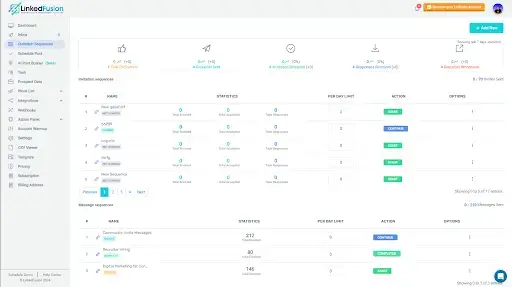
Tools like these are built to help you generate leads without getting banned.
Step 2: Stay Within Daily and Weekly Activity Limits
LinkedIn sets unspoken thresholds for how much you can do each day. If you exceed those limits, your LinkedIn account may be temporarily or permanently restricted.
Safe activity limits:
- Connection requests: 80–100 per day (max 400 per week)
- LinkedIn messages: 100–150 follow-ups per day
- Profile views: 100–200 per day
- Invites to LinkedIn group members: Keep it under 20/day
Tips:
- Always withdraw pending connection requests after 7–10 days to reduce the backlog.
- Use the “warm-up” feature (offered by LinkedFusion & Expandi) to gradually increase activity if you’re starting fresh.
- Avoid rapid action sequences like sending a connection and follow-up LinkedIn message within seconds.
Step 3: Personalize Every Interaction
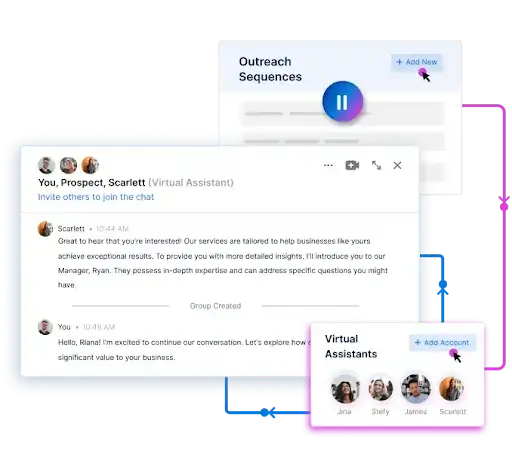
One of the top reasons automation leads to bans is generic, spammy messaging. Personalization not only improves conversions, but it also reduces the chance of someone flagging your message as irrelevant or annoying.
Use dynamic personalization tokens such as:
- First Name
- Company Name
- Job Title
- A recent LinkedIn post or article mention
Tools like Expandi and LinkedFusion allow for dynamic tags that auto-fill based on LinkedIn profile data.
Step 4: Use LinkedIn Sales Navigator for Targeting
If you’re serious about LinkedIn prospecting, upgrade to LinkedIn Sales Navigator. It offers advanced filters like:
- Company size
- Years in current position
- Seniority level
- Industry + location combo
Why it matters:
Better targeting = higher response rates = fewer spam reports = lower risk of being banned.
It also makes your LinkedIn presence more professional and reduces suspicion from LinkedIn’s algorithm.
Step 5: Automate Multi-Touch Outreach Campaigns
Instead of one-off messages, set up sequences with delays between actions to simulate human follow-up behavior.
Example sequence using LinkedFusion:
- Day 1 – Visit LinkedIn profile
- Day 2 – Send a connection request with a personalized note
- Day 4 – If accepted, send a “thank you” LinkedIn message
- Day 7 – Send a follow-up with a lead magnet or relevant resource
- Day 14 – Share a helpful LinkedIn post or invite them to a LinkedIn group

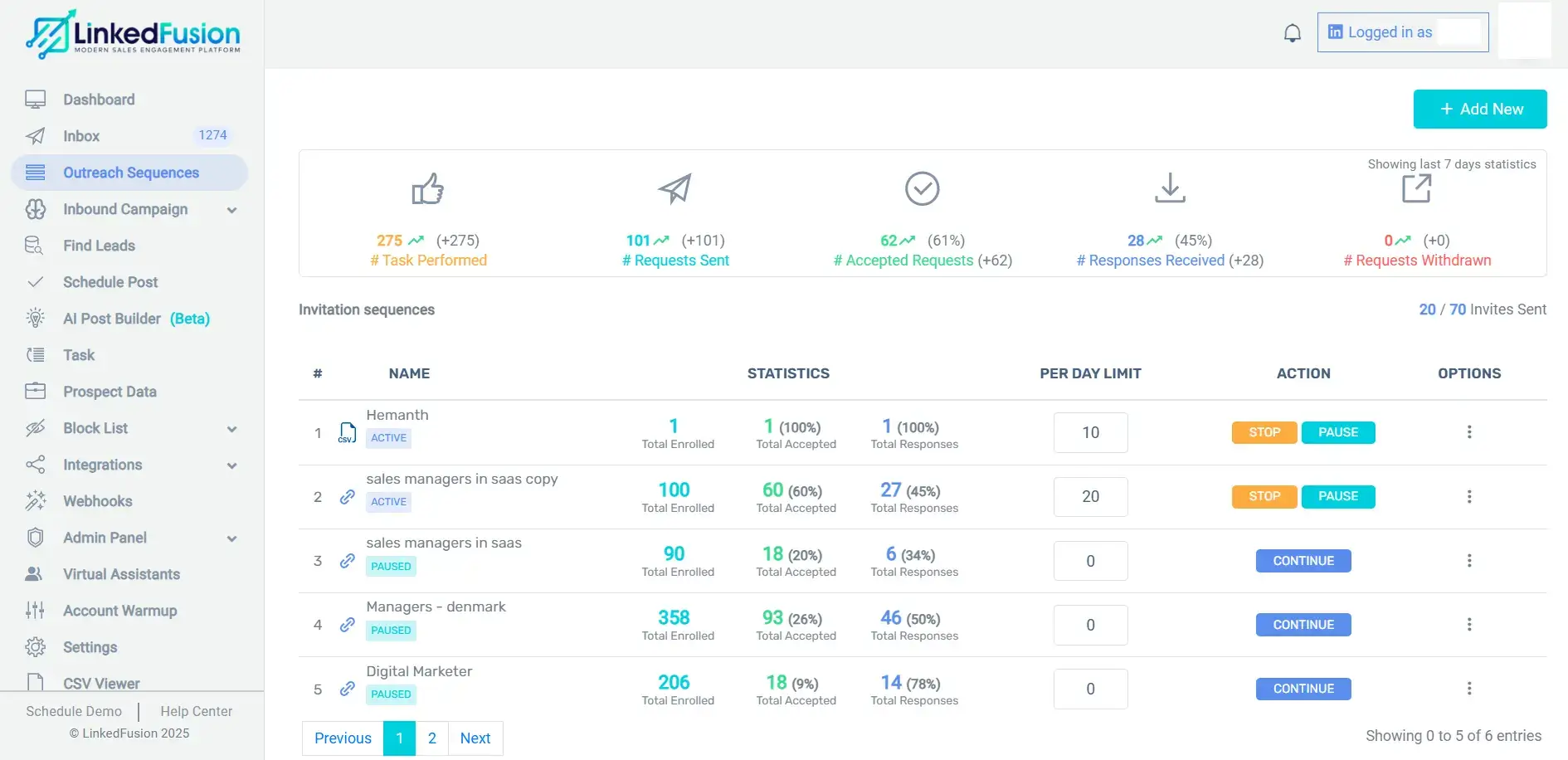
This process builds rapport and trust over time while staying under automation thresholds.
Step 6: Avoid Scraping and Unethical Behavior
Over-scraping LinkedIn data or using bots to export emails, phone numbers, and internal group conversations can get you banned.
Avoid these behaviors:
- Bulk scraping of LinkedIn group members
- Extracting emails without permission
- Sending unsolicited messages to 3rd-degree connections
- Ignoring LinkedIn’s cookie policy
If you need data, use LinkedIn-approved methods (like Sales Navigator lists or manual profile research).
Step 7: Track and Optimize Campaign Performance
Use built-in or third-party tools to monitor how your LinkedIn automation software is performing.
Track:
- Acceptance rate of connection requests
- Reply rates to LinkedIn messages
- Campaign success by industry or role
- Clicks and engagement on shared LinkedIn posts
Tools like Dripify, Shield Analytics, and LinkedFusion provide dashboards that highlight your performance. Regular analysis ensures your campaigns aren’t getting stale, flagged, or banned.
Step 8: Rotate Campaigns and A/B Test Messaging
To avoid getting labeled as repetitive or spammy:
- Rotate 3–5 message variants
- A/B test subject lines, greetings, and CTAs
- Pause underperforming campaigns
- Split your LinkedIn audience into segments (by industry, title, or region)
This helps you test what LinkedIn users respond to best, without flooding the platform with identical content.
Step 9: Stay Updated With LinkedIn’s Policy Changes
LinkedIn frequently updates its user agreement, cookie policy, and algorithm rules. What’s safe today might become risky tomorrow.
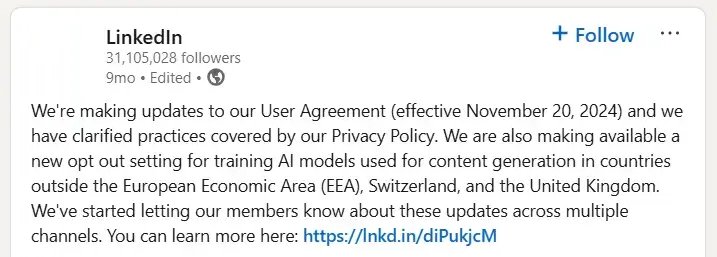
Follow LinkedIn’s official updates, read platform changelogs, and subscribe to industry blogs.
Also, many automation tools maintain live “health checks” and alerts for algorithm changes, which is another reason to pick premium, safe LinkedIn automation tools.
Picking the Right LinkedIn Automation Tool for Your Needs
Not all tools are created equal. To generate leads efficiently and ethically, you need the right LinkedIn automation tool for your goals.
Tools Work Best When:
- You’re using LinkedIn to grow a B2B business
- You want to send messages at scale, but personally
- You’re running LinkedIn campaigns targeting niche audiences
- You’re involved in LinkedIn marketing, content engagement, and LinkedIn group interactions
Compared to other LinkedIn automation:
| Tool | Best For | Risk of Getting Banned |
| LinkedFusion | B2B SaaS + AI safety limits | Low |
| Expandi | Advanced personalization | Low |
| MeetAlfred | Social + email + CRM sync | Medium |
| SalesRobot | Visual sequences | Medium |
| OctopusCRM | All-in-one solution | Medium–High |
Best Practices for Using LinkedIn Automation Without Compromising Your Account
- Personalize Every LinkedIn Message
Using merge tags like {first_name} or {job_title} improves response rates and reduces the risk of being flagged.
- Avoid Copy-Paste Templates
Templates reused too often across accounts become a red flag. Mix up your LinkedIn posts and messages.
- Don’t Scrape Excessively
Avoid mass scraping of LinkedIn group members or profiles. Use tools like PhantomBuster or TexAu cautiously.
- Follow a Clean Cookie Policy
Understand the cookie policy of your tool. Session-based tools are riskier; cloud tools like LinkedFusion are safer.
- Monitor Your LinkedIn Analytics
Keep track of engagement metrics with tools like Shield Analytics or the native LinkedIn analytics dashboard. Track LinkedIn post performance, connections on LinkedIn, and messaging conversions.
What LinkedIn Activities Are Safe to Automate?
Some LinkedIn activities are safer to automate than others:
| Safe to Automate | Risky to Automate |
| Connection requests (limited) | Endorsing skills at scale |
| First messages | Commenting on every LinkedIn post |
| Follow-ups | Excessive profile scraping |
| Profile visits (light) | Posting in LinkedIn groups |
| Engagement tracking | Sending bulk messages to cold leads |
Remember, certain actions on LinkedIn have thresholds. Exceeding them means risking your account or even putting your profile on LinkedIn’s watchlist.
How to Build a LinkedIn Strategy Using Automation
If you’re new to sales automation, start by defining your goals:
- Do you want to reach CXOs?
- Are you focused on event invites or content promotion?
- Is this for cold outreach or warm LinkedIn contacts?
Then align with these steps:
- Build an optimized LinkedIn profile
- Identify the target LinkedIn audience with filters or Sales Navigator
- Use automation tools like LinkedFusion to build a sequence
- Warm up connections with value-first LinkedIn messages
- Track conversions and refine messaging
As businesses scale outreach using LinkedIn automation, many teams also rely on Finance automation tools to streamline internal workflows, reduce manual effort, and support faster decision-making across sales and operations.
This way, you use automation tools for LinkedIn without risking your account.
Avoiding Common Pitfalls in LinkedIn Automation
Even with the best automation tools, mistakes can happen. Here’s how to prevent them:
- Don’t use multiple automation platforms at once
- Avoid automation during LinkedIn algorithm changes
- Don’t connect with irrelevant users just to grow numbers
- Respect privacy policy and data boundaries
- Always give an option to opt out or pause communication
And yes, even the best LinkedIn automation tools can’t save you if you’re abusing the system.
Conclusion: Use LinkedIn Automation the Smart Way
The world of LinkedIn automation tools is powerful—but only when used with caution and intention. With the right practices, you can generate leads without getting banned, engage with the right LinkedIn audience, and scale your outreach efficiently.
Your LinkedIn account and your reputation are your digital assets. Treat them that way. Choose the right LinkedIn automation tool, follow best practices, and let automation supercharge your growth—without compromising safety or trust.